 Frostbite · EA
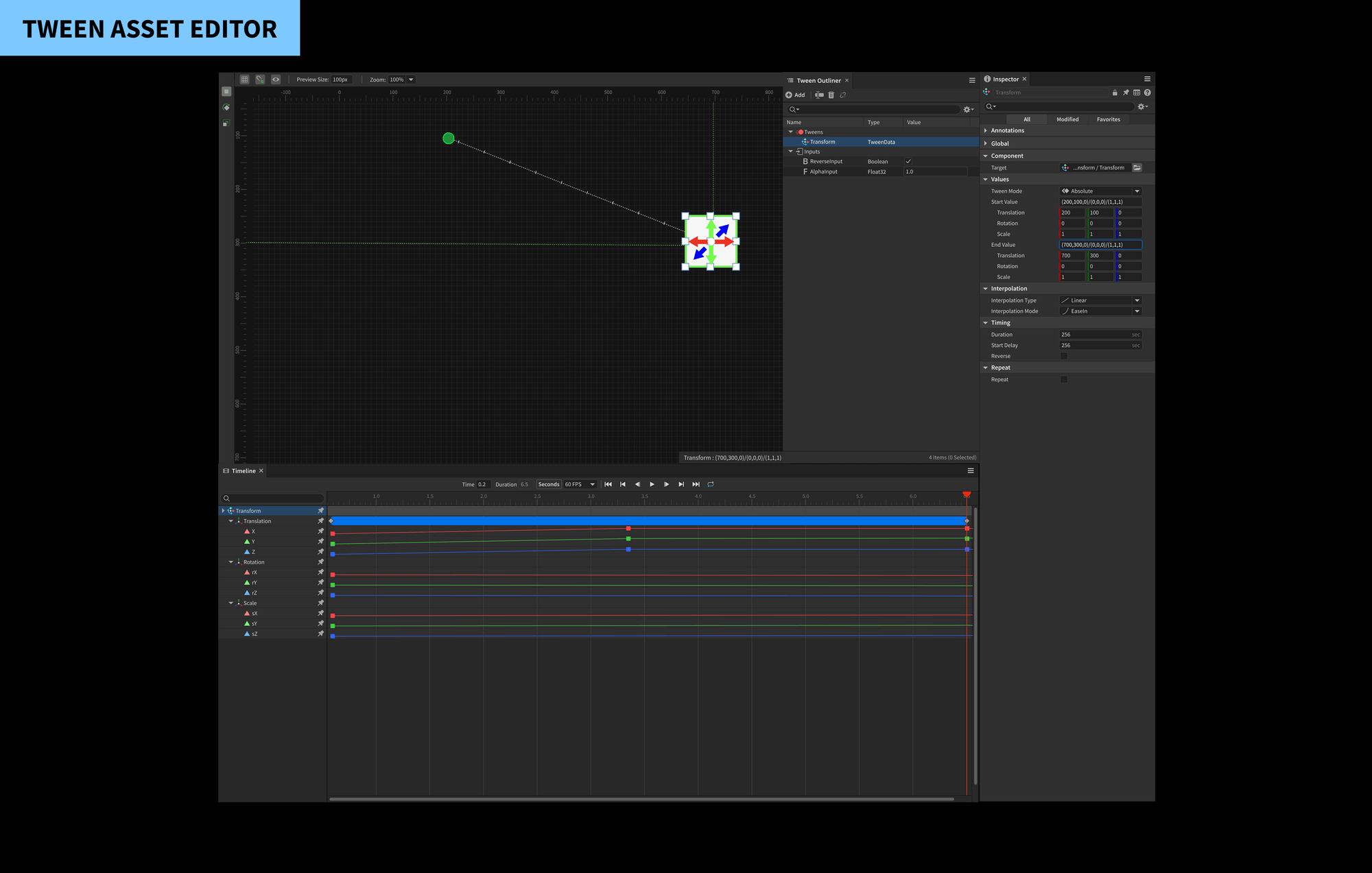
A known bottleneck nobody had measured
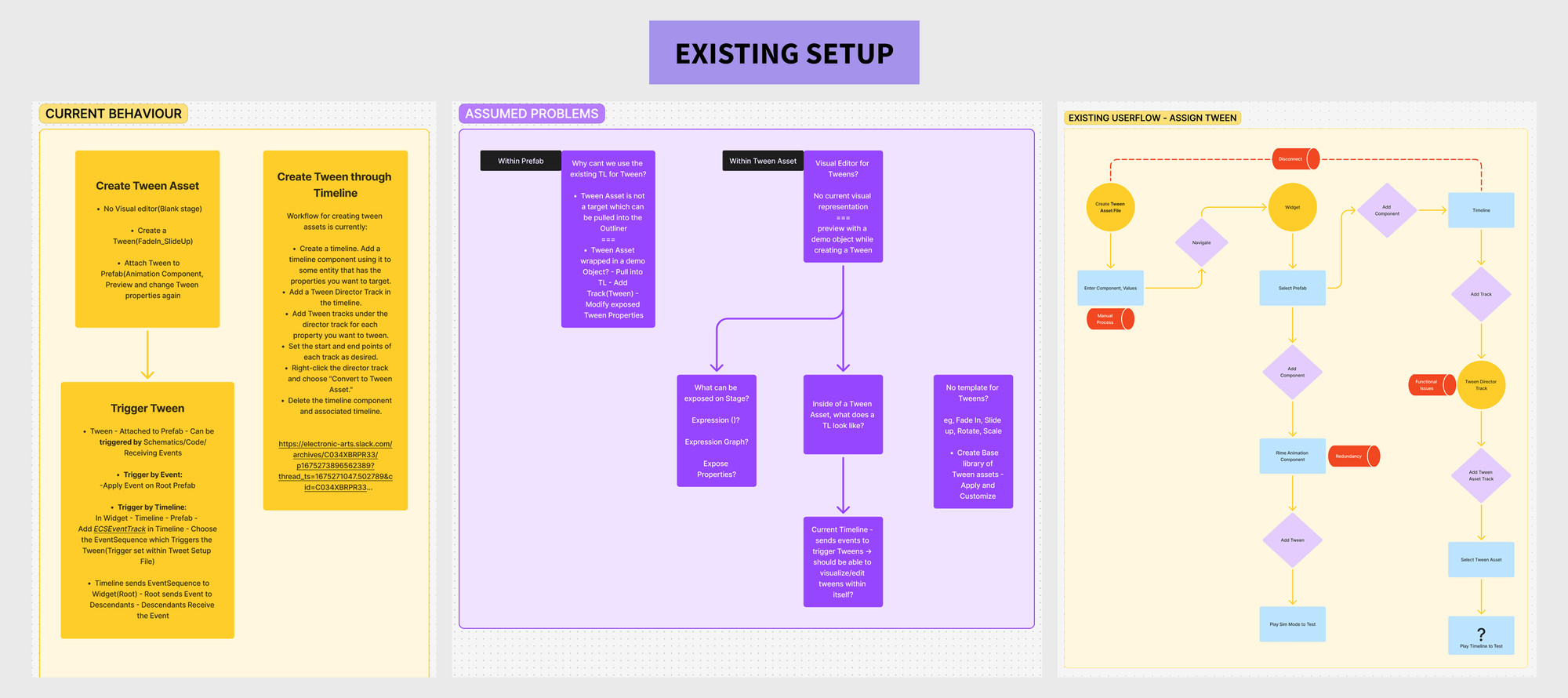
The Frostbite Tween Asset Editor was a legacy bottleneck every team knew about - but the specific technical and cognitive friction points were undocumented. In the previous engine state, "tweening" (animating properties over time) was a blind, data-heavy process. Content creators had to manually input values into a vertical Inspector list, play the simulation to see the result, and then go back to adjust numbers if the motion felt inaccurate.
This created a high-friction "guess-and-check" loop that slowed down UI and gameplay development across all game teams using Frostbite: FC, Madden, NHL, and more.
"My goal wasn't just to reskin the tool - it was to conduct a Validation-Driven Research phase that bridges the gap between technical constraints and creative intent."
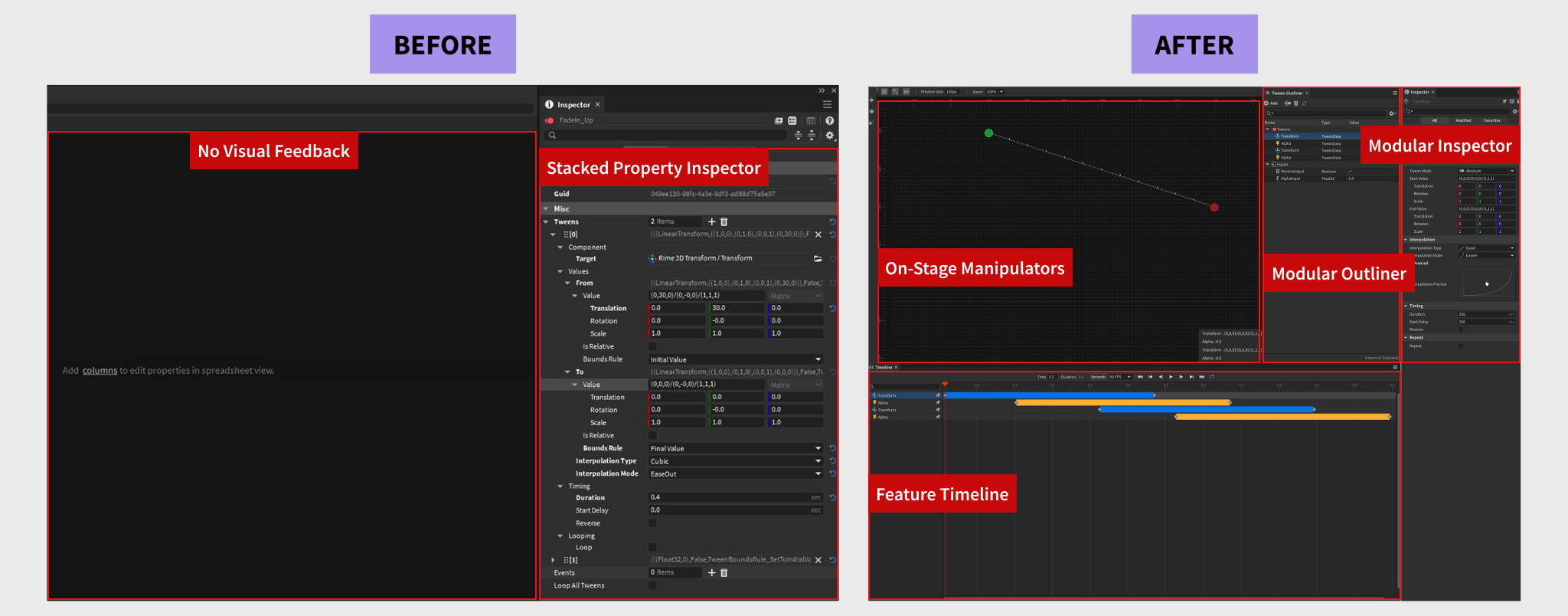
Three root causes behind the friction
Through contextual inquiry with Technical Artists and Animators across studios, three distinct failure modes emerged - each compounding the others.
Because the legacy tool had no visual canvas, creators had no way to see where an object would animate to - they could only read coordinate values. Every change required a mental model reconstruction, then a play test to confirm.
Creators had to jump between the Inspector, the Asset Editor, and a separate Animation Component. This "ping-pong" workflow led to frequent functional issues where assets were incorrectly linked. Value changes, events, and tween properties all lived in different panels.
Editing property values lacked real-time feedback. Designers were guessing and checking by hitting play, then going back to the Inspector - a loop that could take dozens of iterations for a single animation.
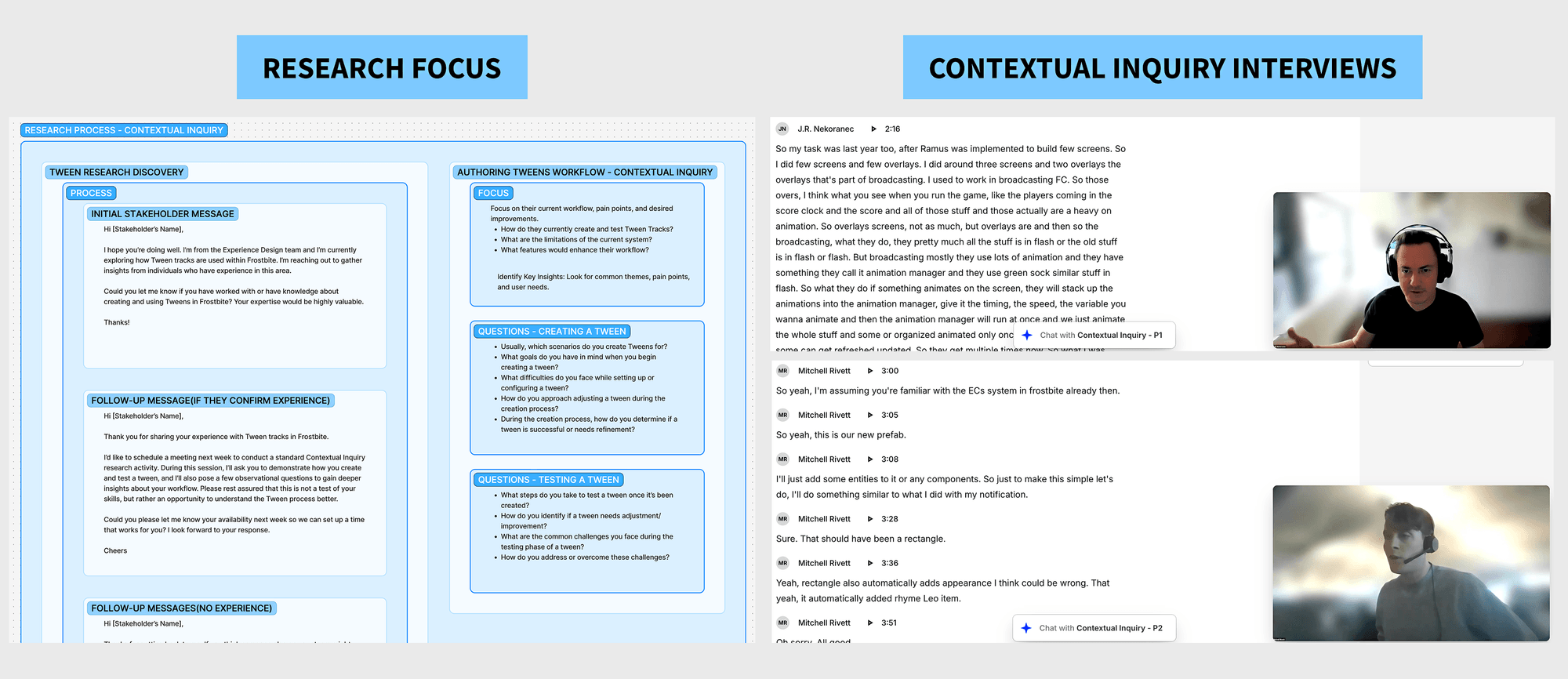
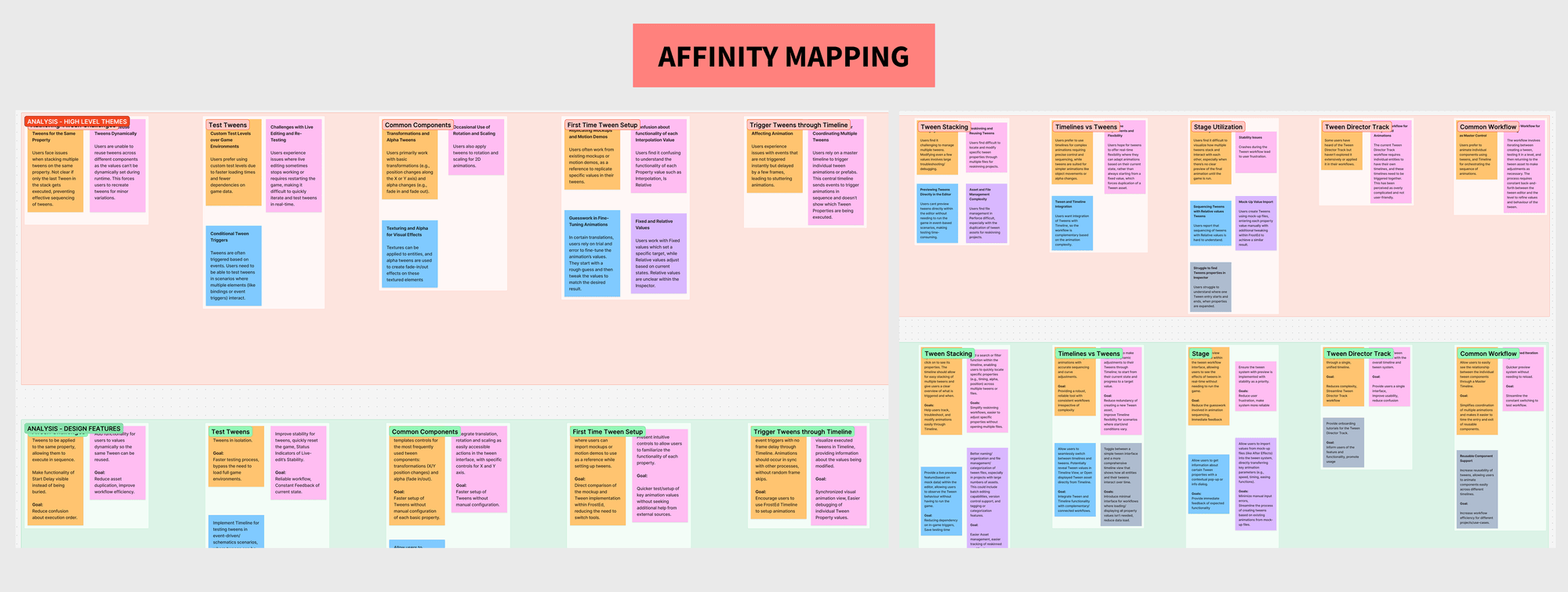
Affinity mapping → scalable feature set
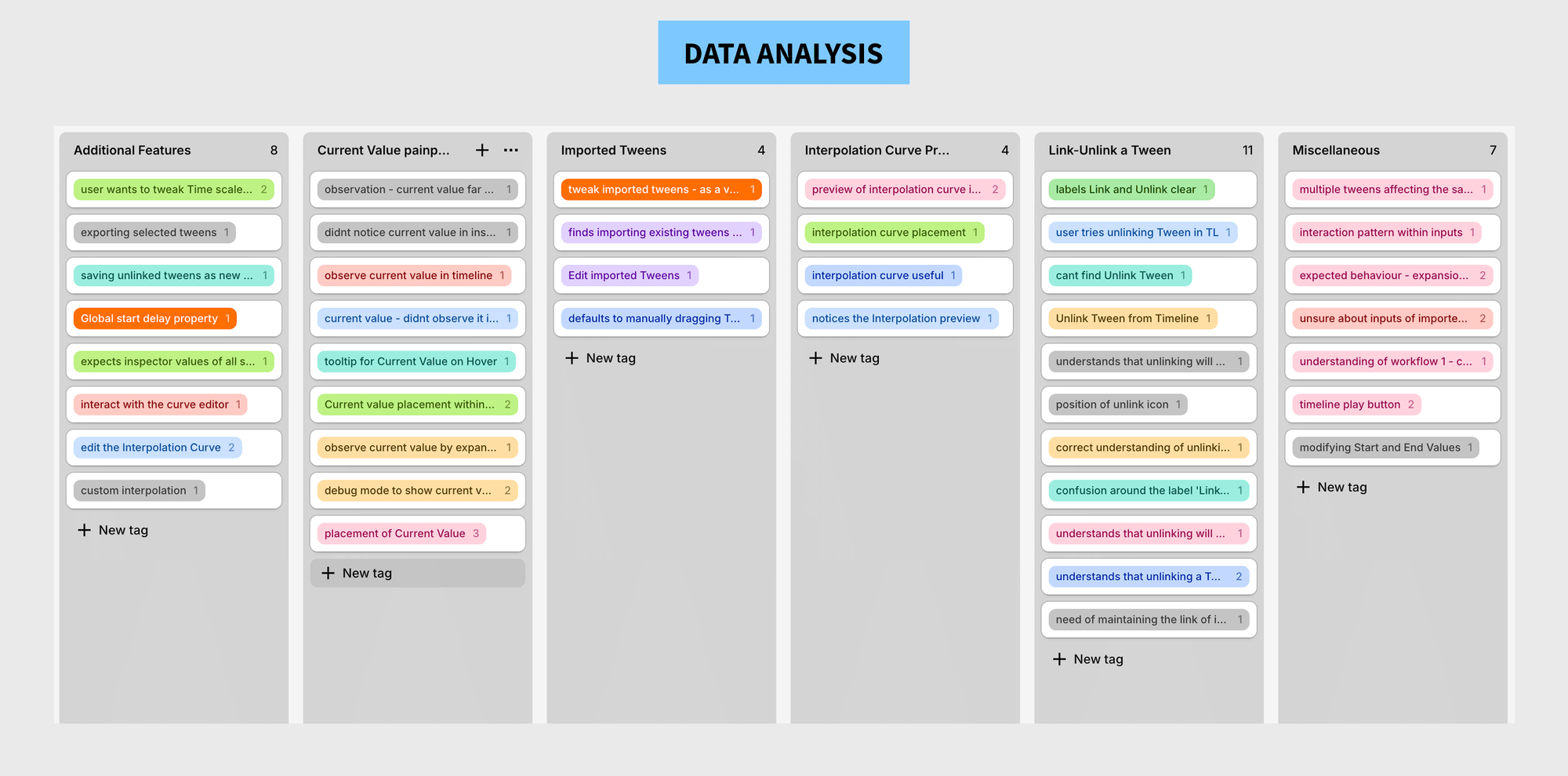
Contextual inquiry with Technical Artists and Animators produced massive amounts of qualitative data regarding engine constraints, animation math, and workflow hacks. Affinity mapping was the only way to synthesize these high-pressure production needs into a scalable engine architecture.
The primary blocker was the Spatial-Temporal Disconnect. Because the legacy tool was text-only, I knew the solution had to fundamentally change the input modality - from data entry to direct manipulation. I restructured the system architecture into direct user flows to further pin-point pain points.
Three decisions that solved three root causes
Each design decision was engineered to directly address a specific root cause - not a general improvement. Every detail was validated against technical feasibility with engine engineers before it went to prototype.
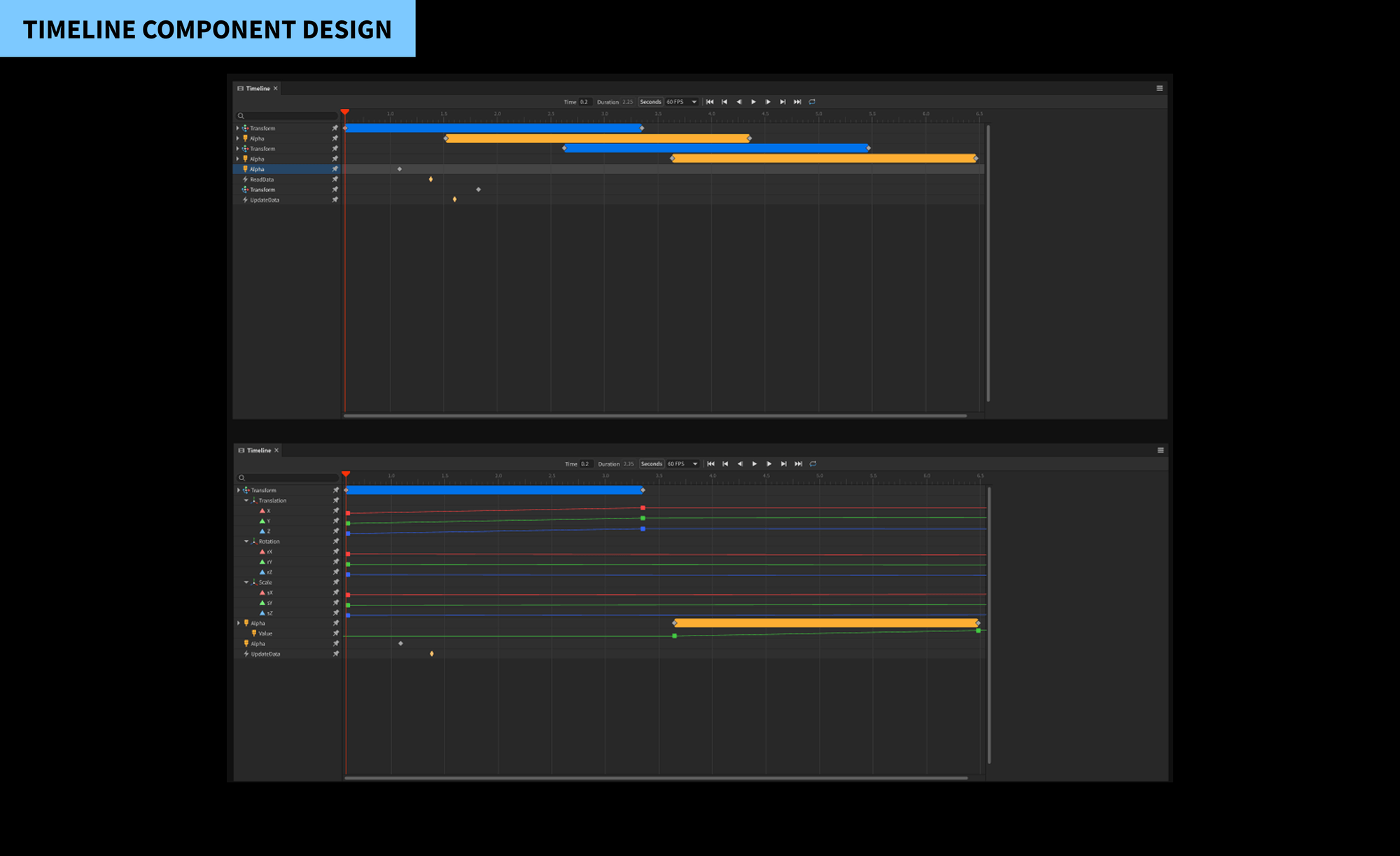
I introduced a multi-track timeline as the primary navigation hub. I color-coded tracks (Blue for Transform, Yellow for Alpha) and introduced Repeat and Reverse visual blocks - eliminating the need for users to perform mental math to determine the total duration of a looping animation.
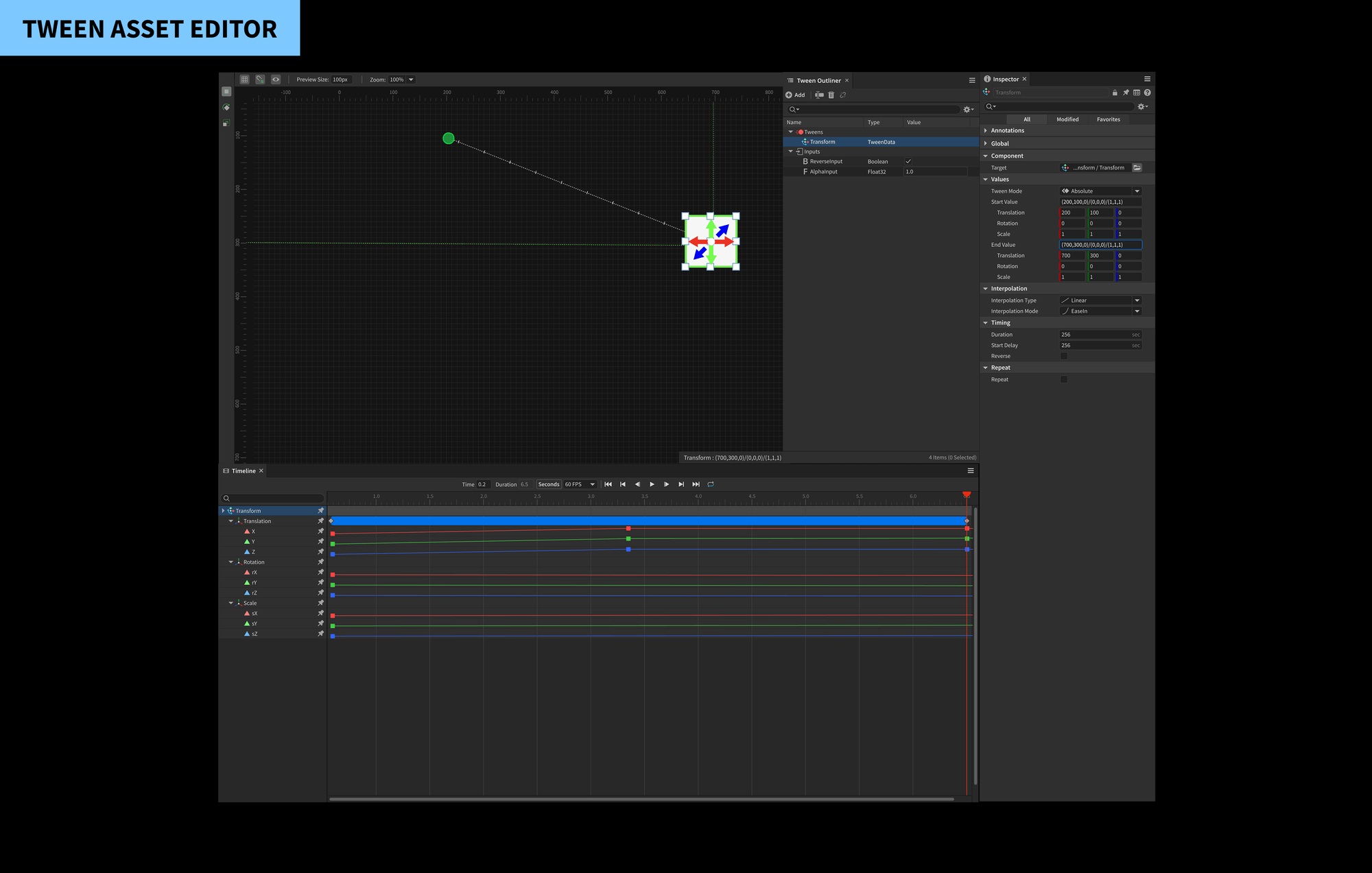
I designed on-stage manipulators (Green/Red ellipses) that allowed users to drag start and end points directly in the viewport. I added Interpolation Hashes - dashed lines between points where the spacing of the dashes visually represents the speed of the easing curve, giving creators immediate tactile feedback on motion quality.
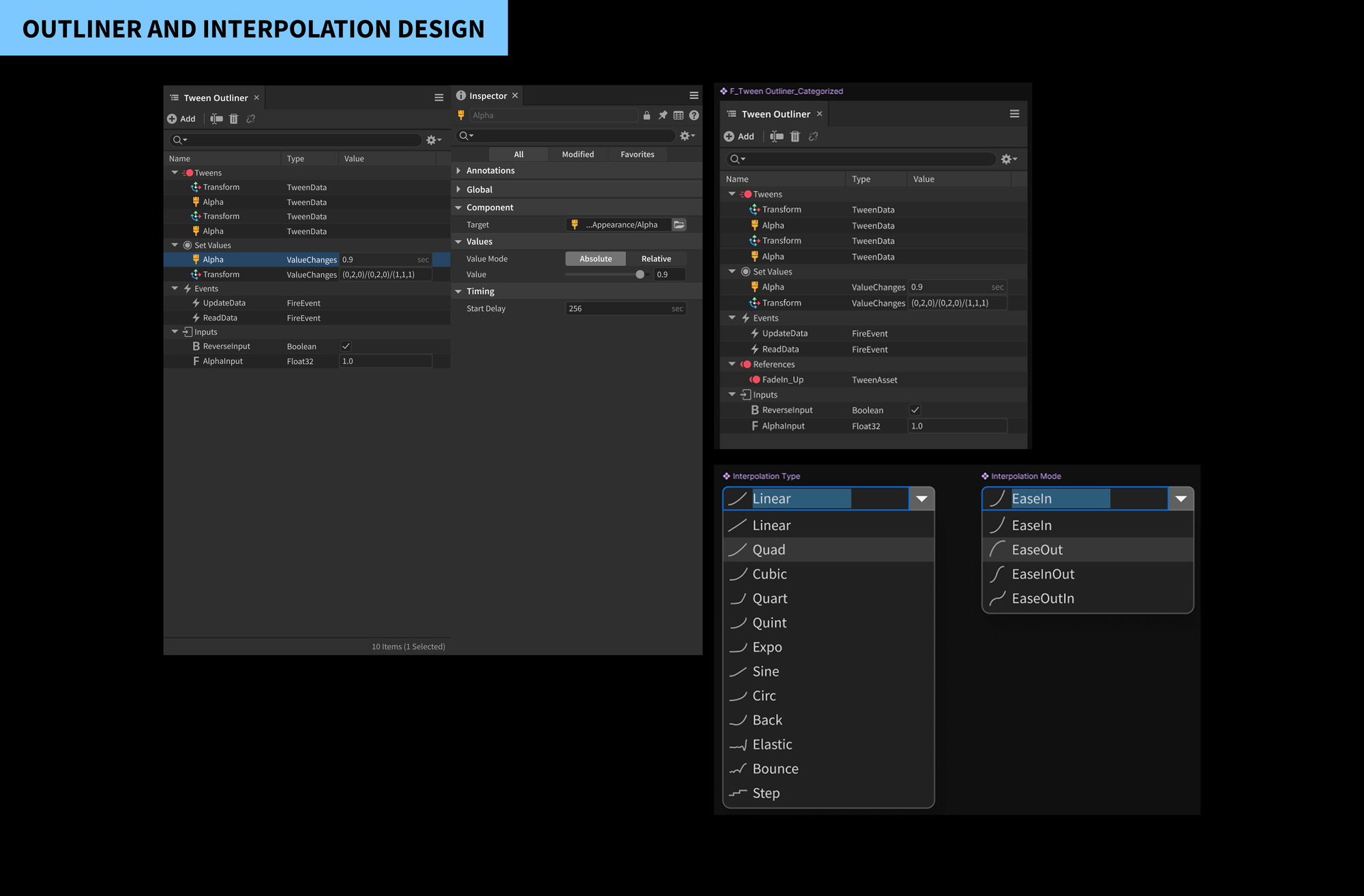
I consolidated the three-tool workflow into a single unified Inspector panel that contextually showed only what was relevant to the selected track. Reference vs. Local asset states were explicitly labelled to prevent the accidental unlinking that caused production errors.
7 stakeholders, 3 critical iterations
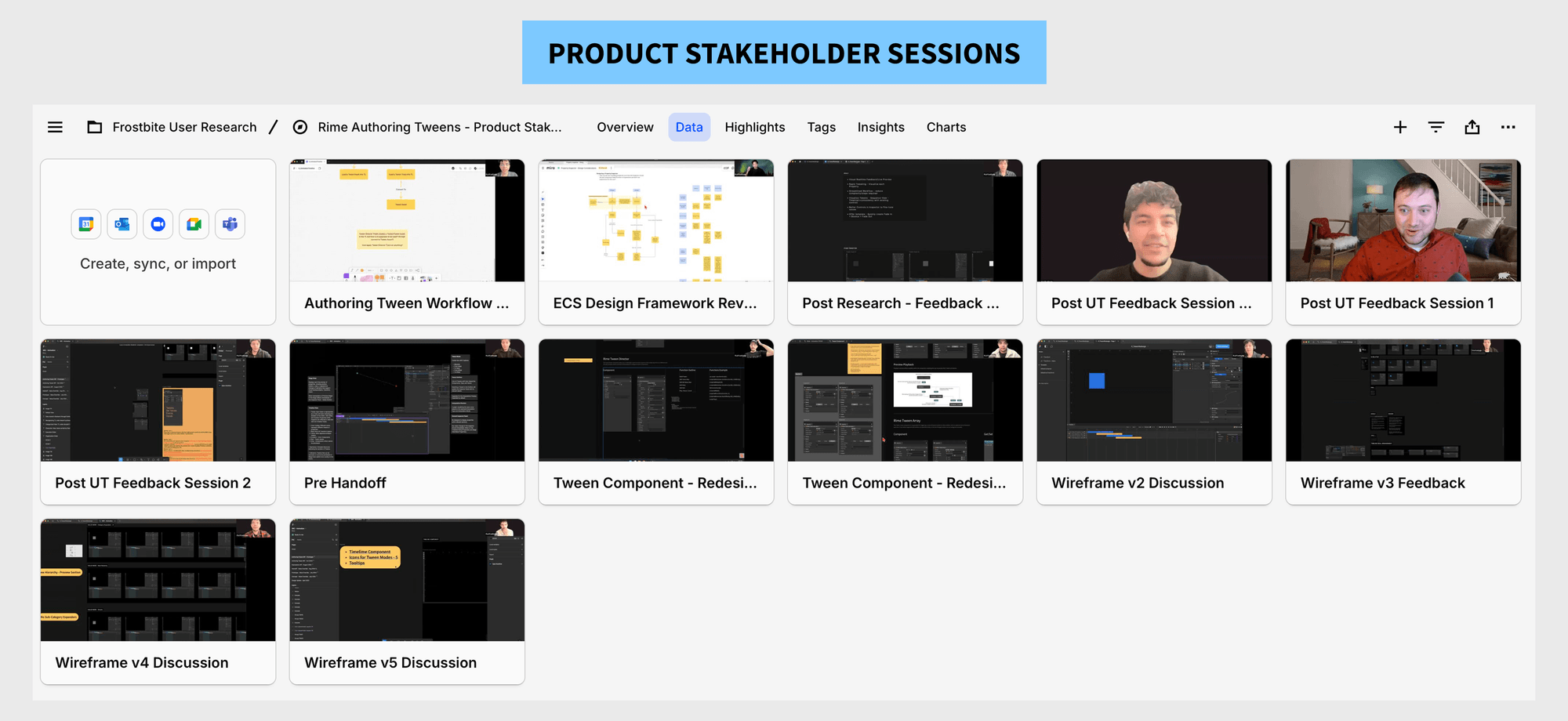
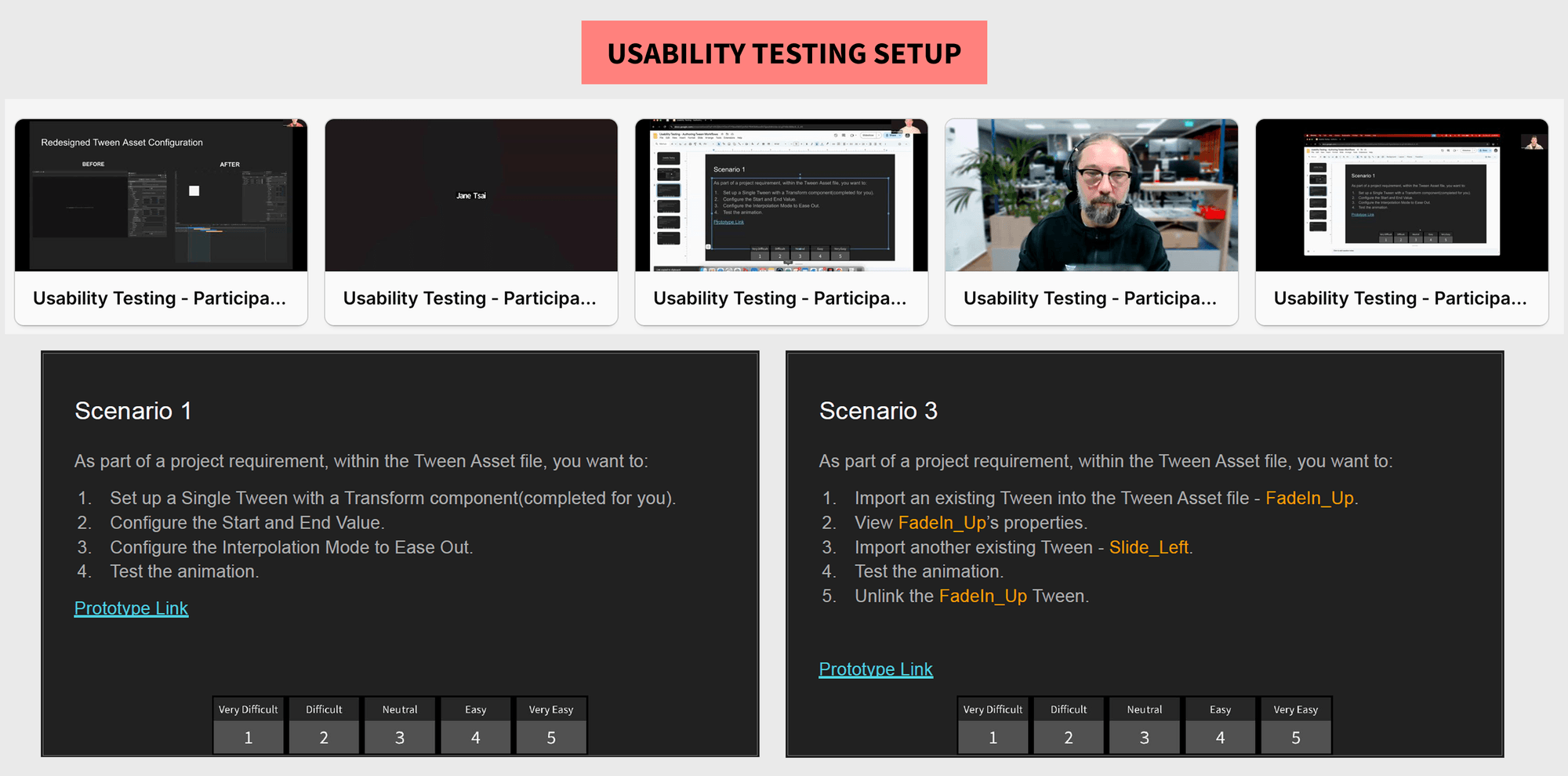
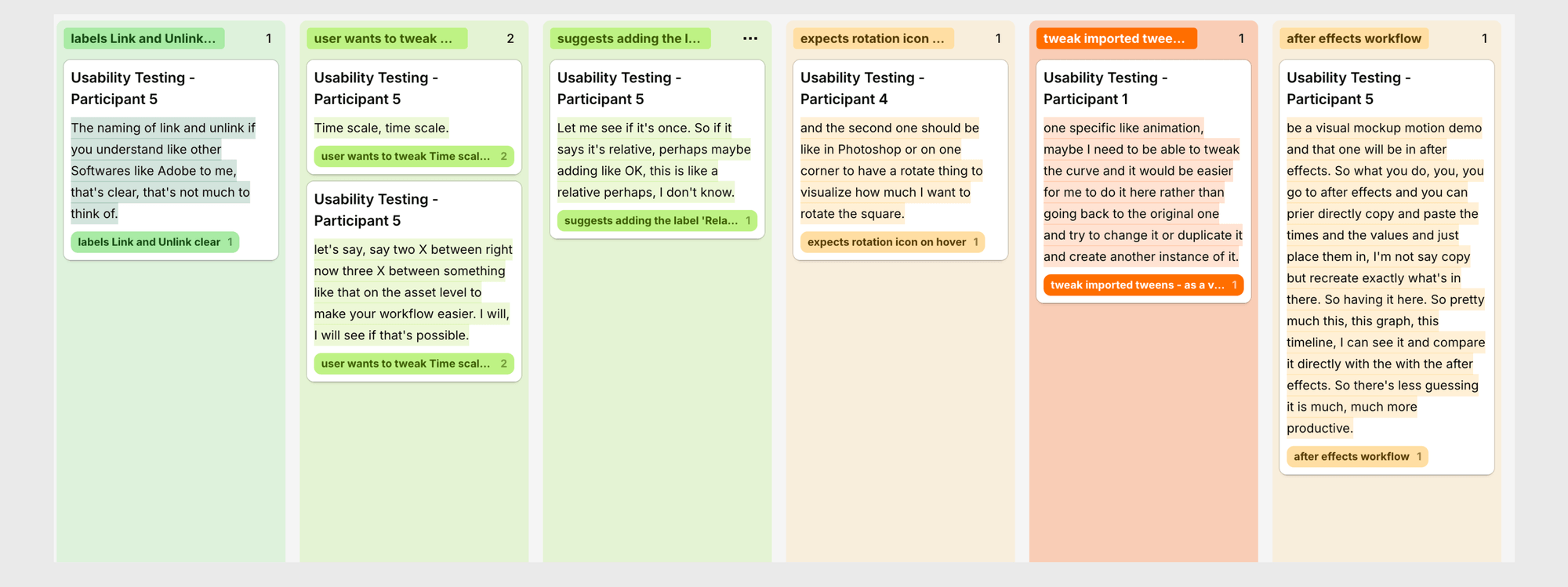
I conducted usability tests with 7 core stakeholders - Technical Artists, Animators, and Engine Developers - to stress-test the final design prototype. Output data was analysed within Dovetail by creating groups and highlighting themes from observational data.
The "Link/Unlink" terminology was ambiguous - they feared unlinking would delete the source asset. I redesigned the state of these buttons to explicitly show "Reference" vs. "Local" to give creators confidence.
Expected a rotation icon on hover for the manipulators to match standard professional software patterns (Photoshop/Figma). I added contextual hover states to reduce the need for users to switch tools in the toolbar.
Designers often lost track of where the object currently was versus its start point. I implemented a persistent "current position" indicator on the stage that updated live as the timeline scrubber moved.
The redesigned Tween Asset Editor
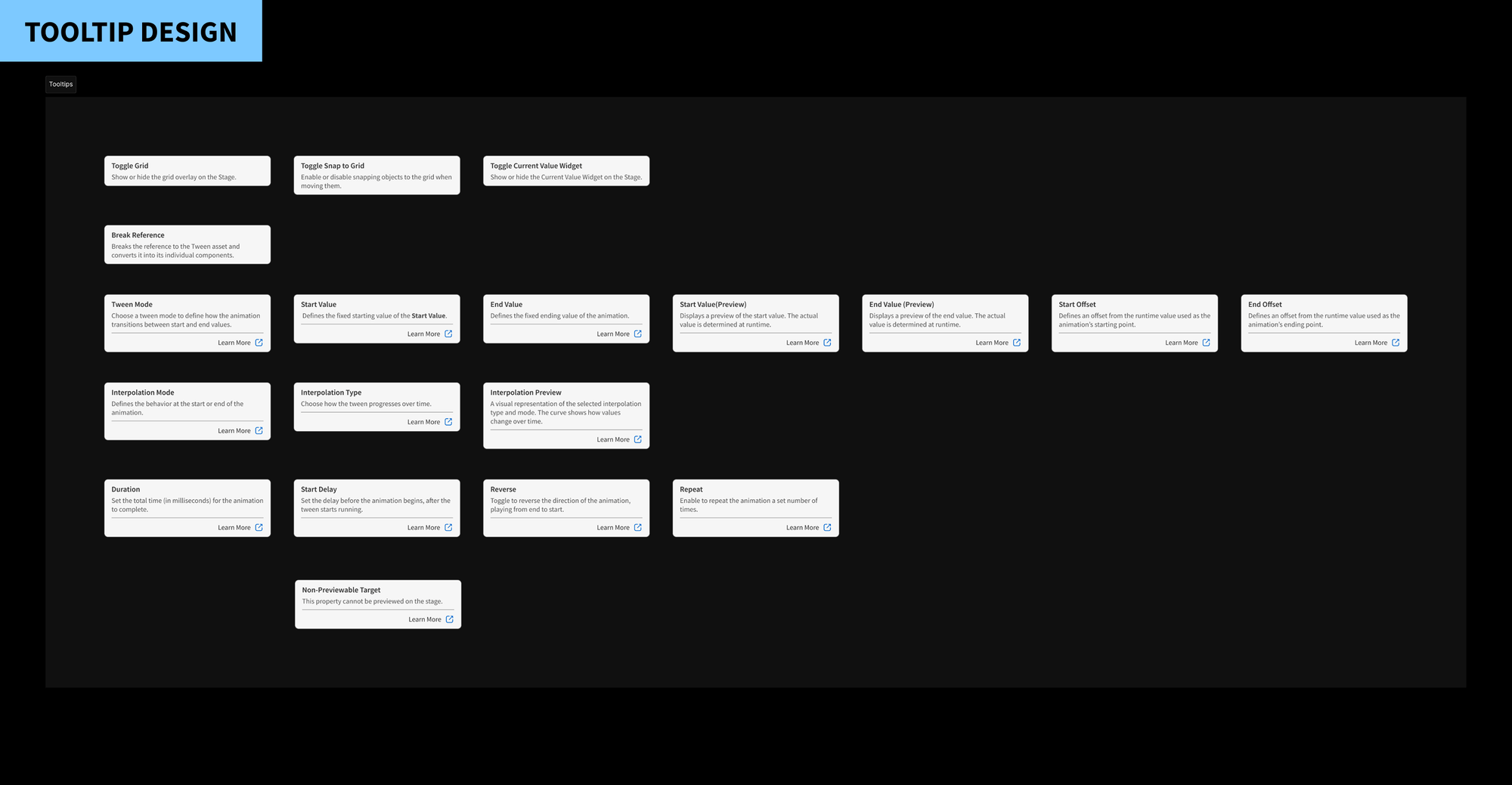
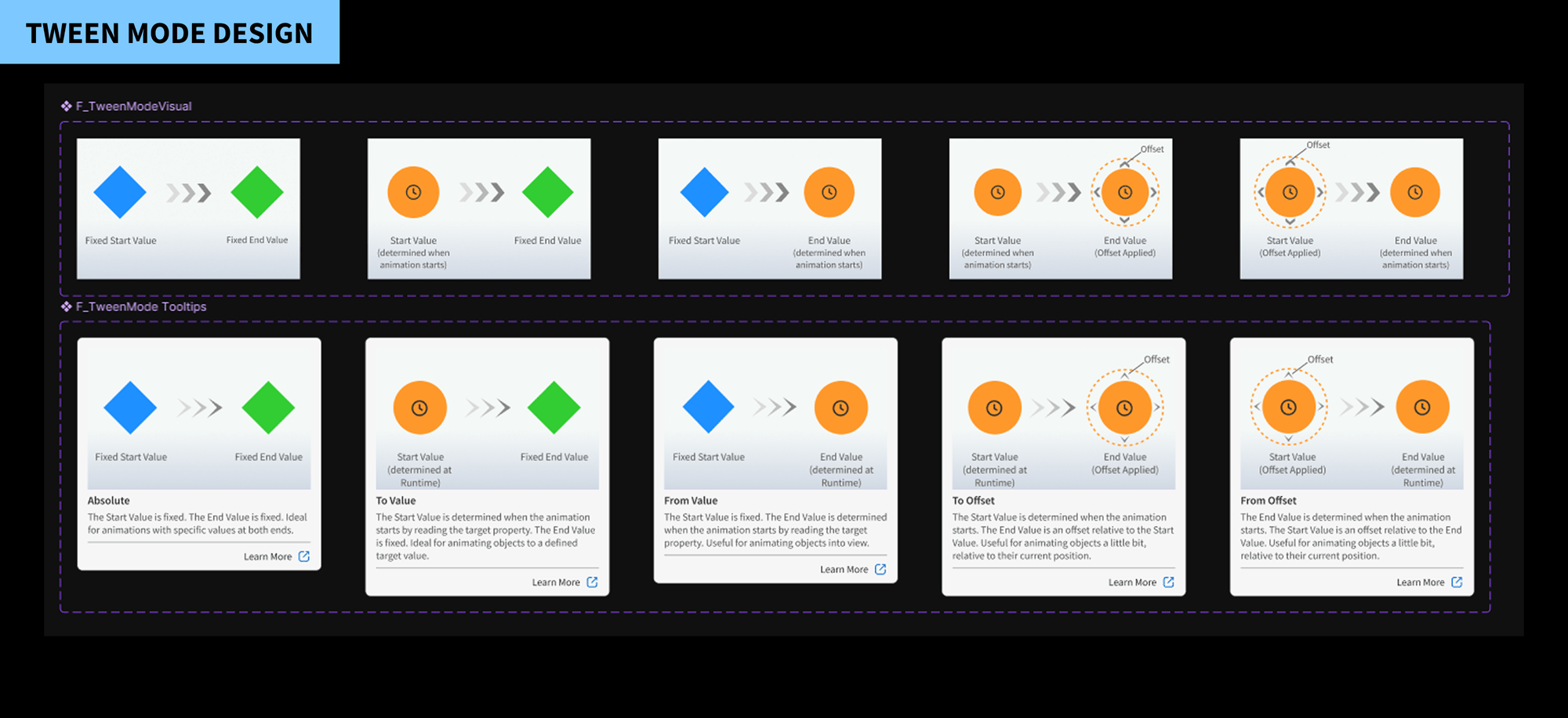
The final design transformed a text-only, guess-and-check workflow into a visual-first system with direct manipulation, a multi-track timeline, and real-time spatial feedback. All changes were validated through side-by-side task completion testing.
Measured outcomes
The 40% reduction in authoring time was validated through side-by-side task completion testing. The 25% decrease in user errors specifically addressed broken asset references and incorrect timing values - the two failure modes most cited in the original research phase.